Native on macOS
Built with SwiftUI for real Mac speed, battery life, and feel. No Electron, no browser wrapper, no compromise.

A native Mastodon client for Mac.
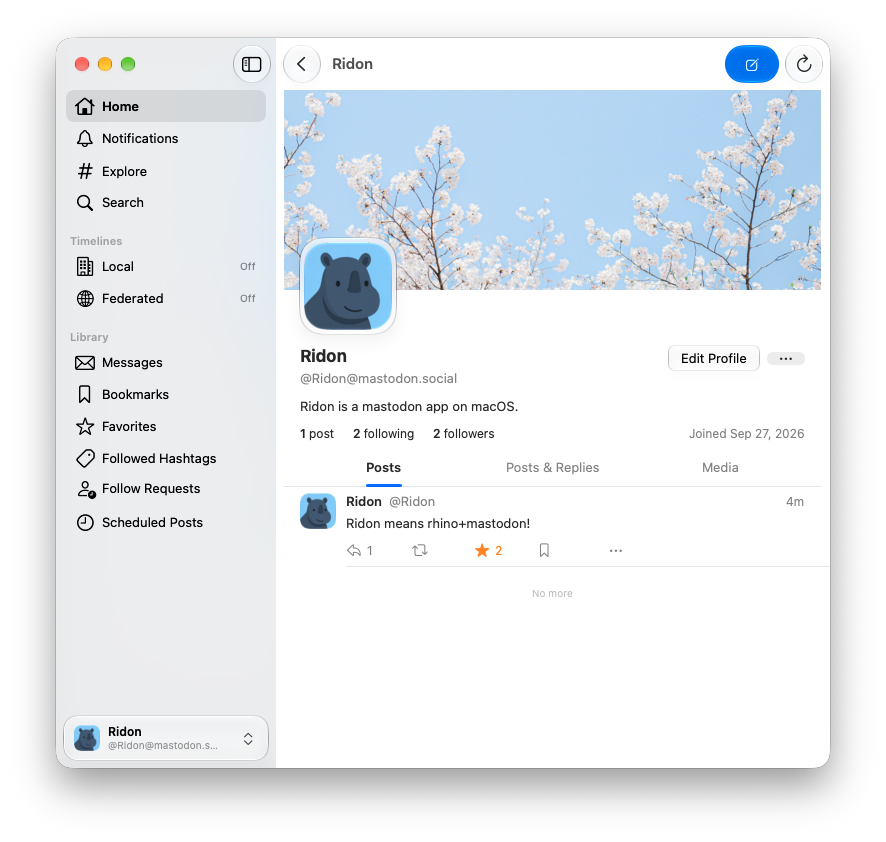
A thoughtful Mastodon client that gets out of your way.
Built with SwiftUI for real Mac speed, battery life, and feel. No Electron, no browser wrapper, no compromise.
Home, Local, and Federated timelines, plus your lists and followed hashtags — all in one clean sidebar.
New posts and notifications arrive the moment they happen, and show up in Notification Center while you are away.
Content warnings, media, polls, quotes, and scheduled posts — with drafts you can save and finish later.
Stay signed in to accounts across different servers and switch between them instantly — a Ridon Pro feature.
Sign-in tokens are kept in the macOS keychain. Ridon has no analytics, no tracking, and no servers of its own.
Ridon is a native Mastodon client for Mac. It is a fast, focused desktop app for reading your timelines, posting, and staying on top of notifications — without a browser tab or Electron.
Any server that speaks the Mastodon API, including Mastodon, Glitch, and other ActivityPub-compatible instances. Sign in with any account you already have.
Ridon is on the Mac App Store. The download button on this page opens the store in your region.
No. Ridon is a macOS app, built for the Mac. It is not an iPhone, iPad, or Windows client.
Yes. Ridon is free to download and use. Ridon Pro unlocks multiple accounts and drafts, and is a one-time purchase — not a subscription.
No. Ridon talks directly to the server you sign in to. Your sign-in tokens are stored in the macOS keychain, and Ridon collects no analytics or usage data.